1. Introduction
1.1 OGC Standards
1.1.1 Web Mapping Service
1.1.2 Web Feature Service
1.1.3 Web Coverage Service
1.1.4 Web Processing Service
1.2 CAAML
1.3 INSPIRE
2. Standards in action
2.1 Prepare data and toolkit
2.1.1 Manage the data
2.1.2 Design the CAAML schema
2.2 Build CAAML with GeoAvalanche
3. Main Chapter
Load Data
Load the shapefile into PostGIS
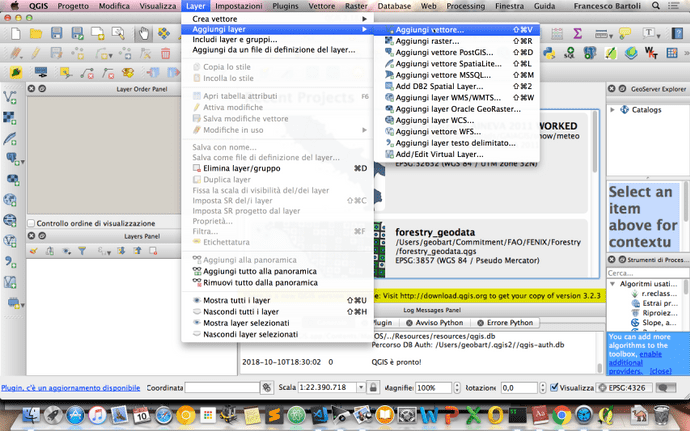
The first thing to do is to add the dataset mnz_italy to our PostGIS database caaml_data. QGIS is the quick way to go. Let's go through the screenshot below after having extracted the shapefile from the archive in the folder data.
Add the shapefile to QGIS
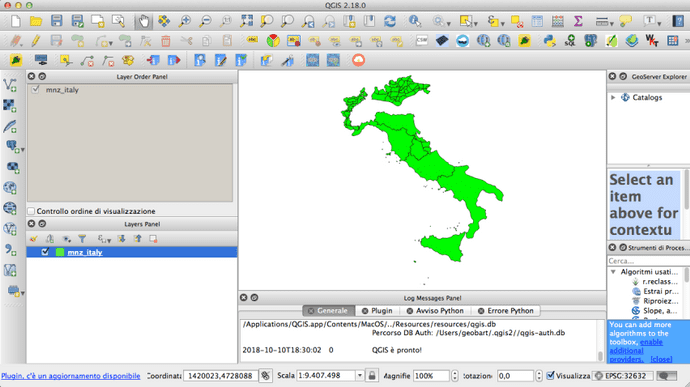
We should see something like this:
Create a new PostGIS connection for caaml_data
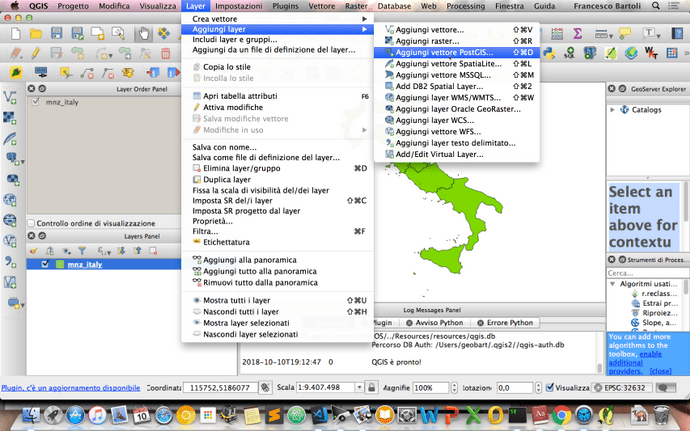
Click on new for create a new connection
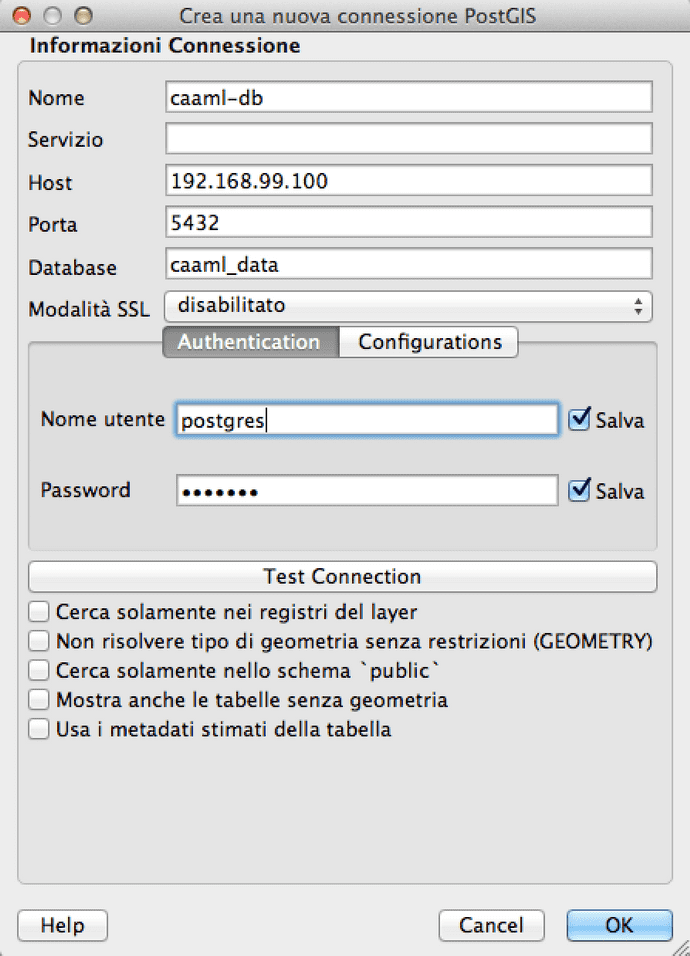
Fill the fields with the same connection parameters used for PGAdmin4
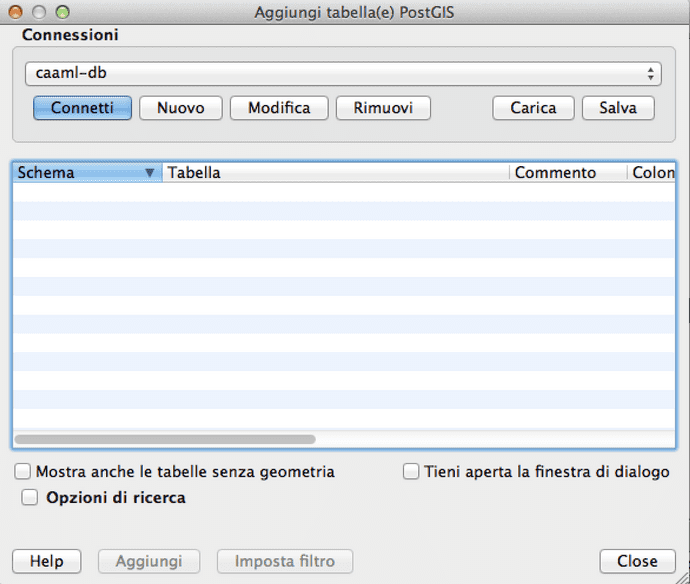
Click ok and then connect.
Load the shapefile into the connected schema
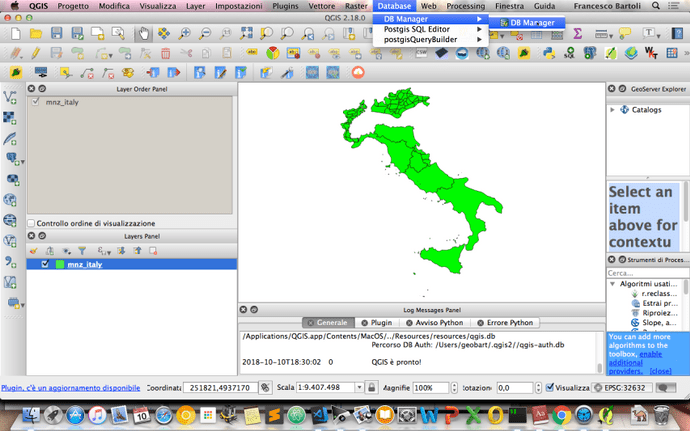
then click the down arrow icon and fill the fields with the preferences on how the shapefile has to be imported into a PostGIS table.
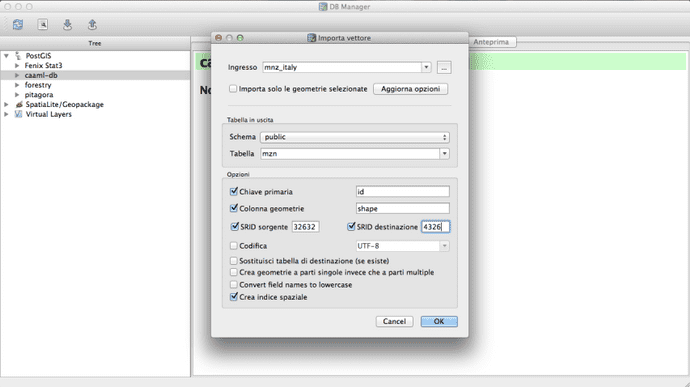
Important notes:
- The name of the final table
mzn - The name of the geometry column
shape - The reprojection from the source SRID
EPSG:32632toEPSG:4326with geographic coordinates - The setting to create a spatial index for the geometry column